 Inkling
picked for this computer
Download Inkling
Download for Windows.exe, 129 MB
On a phone or tablet, use Inkling in your browser. The downloads below are for Windows and Mac computers.
Open InklingChoose your computer
- Windows Windows 10 or 11, 64-bit Inkling-Setup-0.2.0-beta.5-x64.exe, 129 MB Download
- Mac with Apple silicon M1 or newer, macOS 13 or later Inkling-0.2.0-beta.5-arm64.dmg, 133 MB Download
- Mac with Intel Intel processor, macOS 13 or later Inkling-0.2.0-beta.5-x64.dmg, 139 MB Download
Which Mac do I have?
Open the Apple menu and choose About This Mac. “Chip: Apple M1” (or M2, M3 and later) means Apple silicon. “Processor: … Intel” means Intel.
Technical details
SHA-256 of each installer:
- Inkling-Setup-0.2.0-beta.5-x64.exe
- 7933c09e701677760702e24e7cd049a1f2eb6f9a3aeb715458689bbbecb25f09
- Inkling-0.2.0-beta.5-arm64.dmg
- 46292bc45f9378cb525cc33528ab11f6badf6793c6f23334890ff86690a54179
- Inkling-0.2.0-beta.5-x64.dmg
- b7bfaad226315b4120b9b8b7b036f0cebc8278d131a4be137d21cc394bf1bb23
Every file is distributed through Inkling’s Cloudflare download mirror, built and verified from commit bf04fc3. To check a download, compare its SHA-256: in PowerShell Get-FileHash .\Downloads\<file>, on a Mac shasum -a 256 ~/Downloads/<file>. All three are in the checksum file too.
takes about two minutes
Installing
The first time, your computer asks if you trust Inkling. That’s expected: this beta isn’t code-signed yet, and the steps below show what to click. Only install Inkling from this page, and ask before installing it on a school or work computer.
On Windows
- Open the downloaded
Inkling-Setup-0.2.0-beta.5-x64.exe, usually in your Downloads folder. - If you see “Windows protected your PC”, click More info, check the file name and Unknown publisher, then click Run anyway.
- Inkling installs for your account only (no administrator password), adds Start menu and desktop shortcuts, and opens.
On a Mac
- Open the downloaded
Inkling-0.2.0-beta.5-arm64.dmg or Inkling-0.2.0-beta.5-x64.dmgand drag Inkling into Applications. - Open Inkling from Applications. macOS says it can’t verify the developer and won’t open it yet. Click Done.
- Open System Settings, then Privacy & Security, scroll to the message about Inkling, click Open Anyway and confirm with your password. You only do this once.
What your computer needs
- Windows
- Windows 10 or 11, 64-bit. ARM PCs run it through Windows’ built-in emulation.
- Mac
- macOS 13 Ventura or later, on Apple silicon (M1 or newer) or Intel.
- Internet
- Only for the AI tutor and update checks. Notebooks work offline.
- Pen or touch
- Optional: a mouse or trackpad works too. Not yet tested on real pens and touch screens.
- Phones and tablets
- Use Inkling Web in a modern browser on iPad, Android, or desktop.
Uninstalling, checking a download and help for younger users: the full install guide.
Stuck, or found a problem?
The feedback form takes about 3 minutes and needs no account. Please describe what happened, and don’t include notebook contents or screenshots of personal notes.
Your notebooks and the AI, in full
- Your notebooks are saved on your computer as you write, with a backup every day (in the web app: in your browser). You don’t need an account. If you choose to sign in, your notebooks are also stored in your Inkling account so they sync between your devices; only your account can read them.
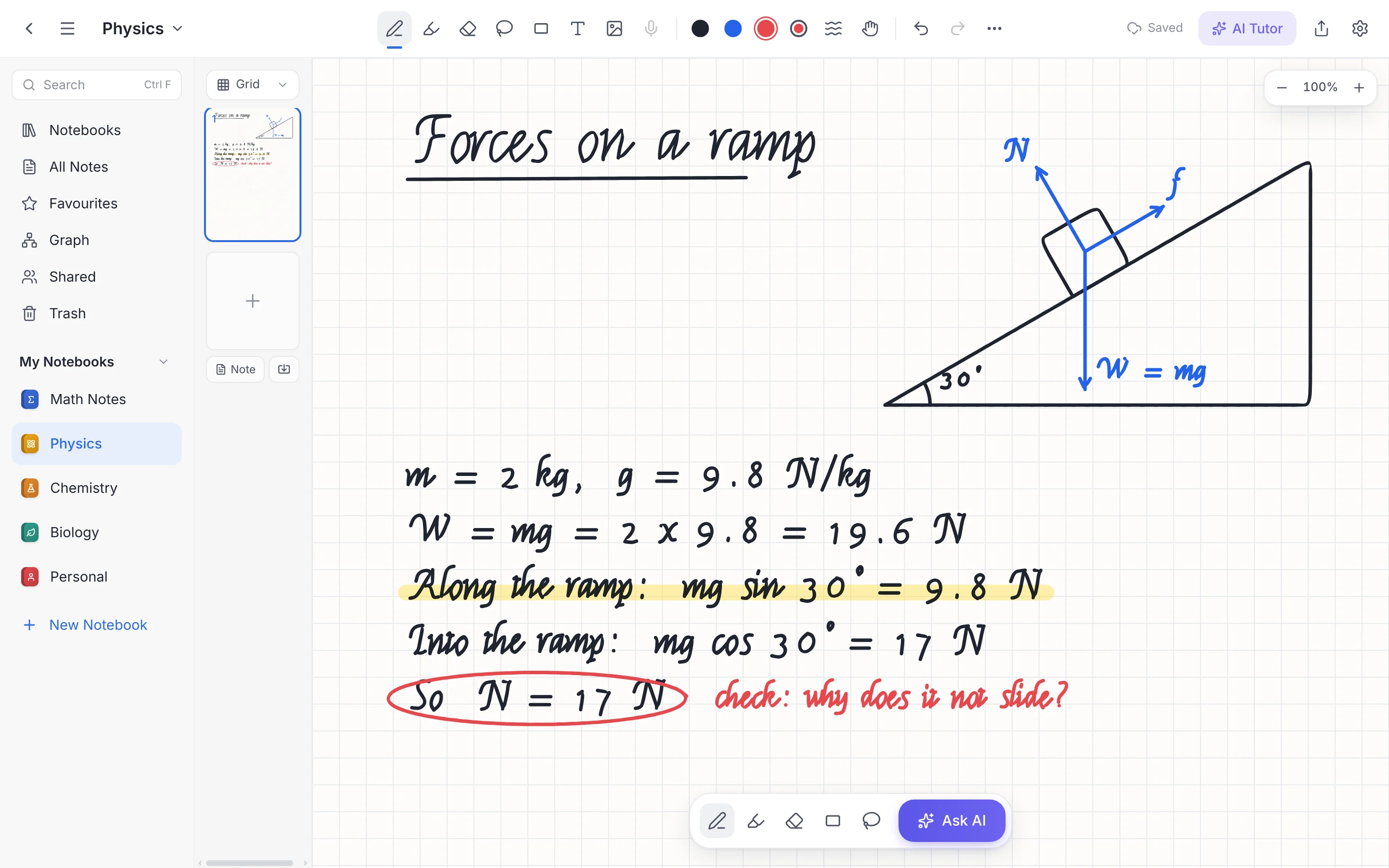
- Nothing goes to the AI until you click Allow, not even a check of how many answers are left. Then, when you ask, your question, the part of the page you include and the recent conversation on that page go to Inkling’s AI server and are answered by an AI model (Qwen 3.8 27B) hosted by DeepInfra, with Cloudflare Workers AI as a backup. Inkling’s server doesn’t store them. Both companies say they don’t train on them or keep them after answering, apart from limited exceptions such as support cases and legal obligations.
- The AI is free, with limits: about 12 answers a day per computer, a monthly limit per computer, and a shared budget for everyone. To share it out, an anonymous installation ID and your internet address go with each question. They’re kept only as scrambled counts: daily counts are replaced every day, and each computer’s monthly count at the end of the month.
- AI answers can be wrong, so check them. Please don’t send personal information.
- Under 18? Inkling doesn’t check ages, and clicking Allow isn’t verified parental consent; one Allow covers everyone on that computer account. A parent or guardian should read the privacy notice, install Inkling and decide whether to allow the AI. Children’s privacy rules haven’t been reviewed by a lawyer yet.
- The app has no ads or analytics. This site sets no cookies and runs no analytics; Cloudflare, which hosts it, may log visits like any web host.
Privacy notice: a draft pending legal review; who runs Inkling and how to contact them are still to be added.